X Article to PDF
Turn any X (Twitter) article, thread or post into a clean, print-ready PDF — images included, no login.
Turn any X (Twitter) article, thread or post into a clean, print-ready PDF — images included, no login.
Xtracticle is a free X article to PDF converter: paste the link of any X (Twitter) article, thread or post and download a clean A4 PDF with the title, author, date, source link and every image — no account, no watermark.
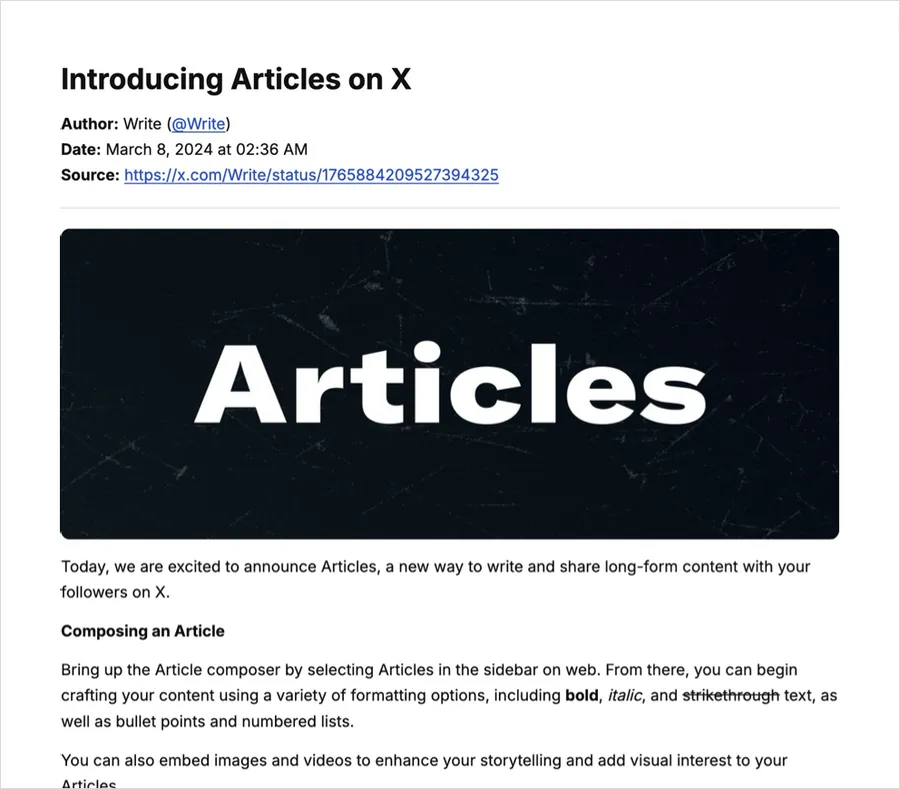
Long-form X Articles keep their structure: headings, bold and italic text, bullet and numbered lists, quotes, code blocks, dividers, the cover image and every inline image. Embedded posts become links, videos become a thumbnail linked to the video.
A single post keeps its text and line breaks, its photos and video thumbnails, and the post it quotes — handy for saving receipts, announcements or anything you may need to cite later.
Paste any post of a thread — not just the first — and every post the author wrote in it is merged into one numbered PDF. Replies from other people are left out. See the X thread downloader.
The PDF is rendered for pixel-perfect layout. If you want to highlight or search the text, use the EPUB
or Markdown export — or press Ctrl/Cmd + P on the result and choose Save as PDF.
Paste any post of a thread and the whole thread becomes one PDF. More on thread to PDF.
Tap PDF, then open the download from the Safari downloads list and use Share → Save to Files or send it to Books.
Tap PDF; the file goes to your Downloads folder and opens in any PDF viewer, Google Drive or your e-mail app.
The PDF is built page by page in your browser and the button shows progress (for example “PDF 12/26”). A 20-image article takes a few seconds on a laptop and a little longer on a phone.
No account, no login, no upload. Xtracticle fetches the public post on demand through the open-source FxTwitter API and builds your file in your browser. We don't store the posts you extract. We use Google Analytics to count anonymous visits and downloads so we know which features matter. The source code is on GitHub.
Yes, completely free with no watermark, no login and no limits.
Yes. The cover image and every inline image are included. Videos appear as a thumbnail linked to the video.
Yes. Paste the link of any post in the thread and Xtracticle merges the whole thread into a single PDF.
Yes. It runs in any modern browser on iPhone, Android, Mac, Windows and Linux.
No. Only public posts that are still online can be converted — which is exactly why saving a PDF copy is useful.
Copy the post link (Share → Copy link), paste it into Xtracticle and click PDF. Photos, quoted posts and the source link are included.
It depends on the images. A text-focused article is usually a few hundred KB; a long article with around 20 large images can be several MB.