Tweet to PDF
Save any X (Twitter) post as a clean A4 PDF — text, photos, quoted post, date and source link included.
Save any X (Twitter) post as a clean A4 PDF — text, photos, quoted post, date and source link included.
Xtracticle is a free tweet to PDF converter: paste the link of a single X (Twitter) post and download it as a tidy A4 PDF — no screenshots, no account, no watermark. It works on iPhone, Android and desktop.
The page is a clean A4 sheet — no X sidebar, buttons, trending topics or replies.
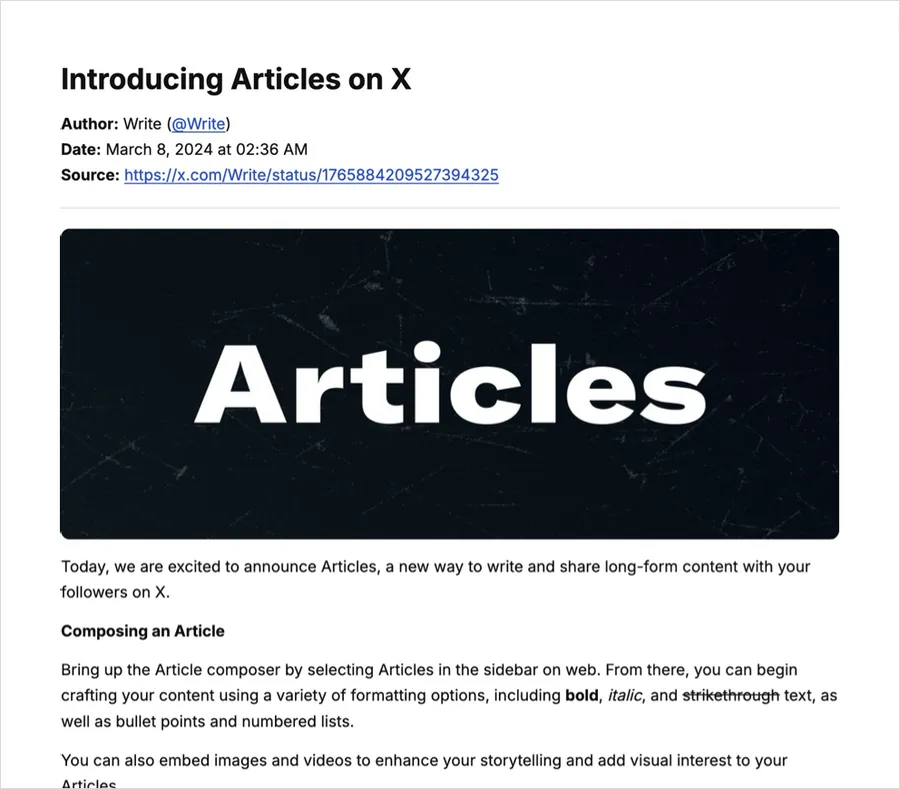
The PDF is image-based, which keeps the layout exact but means the text isn't selectable. If you need to search or copy the text, export Markdown or EPUB instead.
Keep in mind that a PDF is a record of what the post said when you saved it. It isn't a legally certified document.
That is this page. One link, one PDF.
If the post is part of a thread, use the thread to PDF page. Paste any post of the thread and all of the author's posts are merged into one numbered PDF. To read a thread on screen first, try unroll Twitter thread.
X Articles keep their headings, lists and inline images. Use X Article to PDF.
Xtracticle reads public posts that are still online. If a post has already been deleted, or its account has gone private, it can't be saved afterwards. That's the reason to export a copy while it's live. Read what you can and cannot recover. Need several posts? Batch mode takes up to 20 links and returns one ZIP of Markdown files. The tool is on the home page, and the guides have more workflows.
On any post, change x.com to xtracticle.com in the address bar and press Enter: x.com/user/status/123 → xtracticle.com/user/status/123. The post opens here, ready to download.
Drag this button to your bookmarks bar, then click it while reading any X post: ⬇ Xtracticle
On Android you can also install Xtracticle (Add to Home screen) and share posts to it straight from the X app.
Add the Xtracticle shortcut to the Shortcuts app, then in the X app tap Share → Xtracticle. Run from the Home Screen, it opens the link on your clipboard.
No account, no login, no upload. Xtracticle fetches the public post on demand through the open-source FxTwitter API and builds your file in your browser. We don't store the posts you extract. We use Google Analytics to count anonymous visits and downloads so we know which features matter. The source code is on GitHub.
Copy the post link (Share → Copy link), paste it into Xtracticle, press Extract and click PDF.
Yes. Photos and the post it quotes are included. Videos appear as a thumbnail linked to the video.
Yes. It is free, needs no login and adds no watermark.
No. The PDF is image-based to keep the layout exact. Use the Markdown or EPUB export if you need selectable text.
No. Only public posts that are still online can be saved, so export a copy before it disappears.
For threads use the X thread to PDF page, which merges the author’s whole thread. For long-form Articles use X Article to PDF.
Yes. Batch mode accepts up to 20 links and returns them as Markdown files in one ZIP. For PDFs, save each post separately.